Wednesday, June 7, 2017
Collection of tutorials on how to Turn a Photo into a Pencil Sketch Drawing in Photoshop
Collection of tutorials on how to Turn a Photo into a Pencil Sketch Drawing in Photoshop
Sketch Effect

How to apply sketch effect in Photoshop

Turn a Photo into a Pencil Sketch

Photo to Pencil Sketch

How to make Photoshop Pencil Sketch Effect

Creating Drawing Effect on the Photo

Transforming Photos Into Pencil Drawings

Go to link Download

Tuesday, June 6, 2017
Collection of Cool Google tricks 3 is the Best
Collection of Cool Google tricks 3 is the Best


Google is the Proclaimed king among all search engines present on the internet. Among all the web based search engines, Google stands out because of its high speed and simplicity.
Everyone is familiar with the web applications provided by Google. Some of these are the Gmail, Google Drive, Google app store and a lot more. But little do people know about some very handy Google tricks that come along with this impeccable search engine.
 Tags:- Tags
Top 10 Cool Google tricks of all times:
Below are Some Cool Google Tricks that i have Collected. Do not Forget to Check Bonus at the End of the Post. Enjoy !!!
1. Definition:
There is no longer the need to type a word and then visit dictionaries online to find its meaning. Using this trick, all you need to do is simply write “define” followed by the word whose meaning you want to know, This Cool Google tricks Come very handy if you use it Effectively.
You will be amazed to see that the meaning of the word, along with its synonym and antonym will be displayed on the search engine. For instance, type “define reach” and then press enter. The meaning of the word will get displayed on your screen.
2. Phone number lookup:
It is now possible to trace mobile number by simply typing the full number along with the area code. This will display the address as well as the name of the person under whose name the number is registered.(Doesn’t Work anymore)
This was the Most helpful thing i have seen from all the Google Tricks. Unfortunately its not working anymore. Check the below list.
3. Atari Breakout:
Only Few Know about this trick and so I think this is the Best Trick amongst all the Google Tricks. All you have to do is Type Images.google.com in the address bar of your browser to open up google images. Now type “Atari Breakout” and Press Enter.
You will Definately Be amazed to see what happens next. It is Only Fair to Add this Trick in my list of Cool Google Tricks.
Note: I am not Responsible if you waste over an hour in playing this game. J/K
4.Translate:
The “Google language tool” comes very handy while translating text, words, a fully fledged web page or document on the internet.
5.Find movies and weather:
All you need to do is type “movies” or “weather” in the search box followed by the area code or name of the state in order to display corresponding information regarding it. For instance, if you type “weather 12345”, weather conditions of the corresponding location will be displayed.
Also, on typing “movies 12345”, the details of all the movies currently running at that place along with number of shows will get displayed. this is another Cool Google trick then i like and use.
6.Paged linked to you:
You can now find the web pages and links that are connected with your blog or website. Simply type “link” followed by the URL of your website and you will get a list of all the pages connected with your website.
7.Tracking airline flights and packages:
This is another handy Google trick. You can now find the arrival time and status of a flight by simply entering the name of the airline and corresponding flight number.
8.Calculator:
You can use the Google search engine as a real time calculator as well. For instance, if you will type 25+25 in the search box, 50 will get displayed.
9.Stocks:
All you need to do is type the stock symbol on Google and you will get information about stock rates, links as well as charts. For instance, to know about the stock details of “Microsoft”, you have to write “msft” on Google.
10.Finding PDF results only:
To get results matching only a certain file type, simply type “fileType:” after your search. Online manuals can be found using this trick from Google.
11.Local search:(Bonus 1)
You can now find local restaurants and other landmarks with this trick. One of the best Google tricks according to me. Simply go to “Google visit” and type the name of the area and the place which you want to find. It is capable of displaying all local landmarks and places.
12. Use Google as Timer (Bonus 2)
You Can use Google Search to Set Timers too. If you want to Complete Certain Task in so and so minutes or hours then You can simply start Timer. This is one of the Most amazing Google Tricks that very few people are aware of. All you have to do is Open a new tab in your favourite Browser and Enter the Term “Set timer 10 minutes” and click enter.
As soon as you Hit enter you will see google timer is already started. In this Example i have used 10 minutes but you can always change it to anything.
For Eg: if you wish to set a Timer for 1 and half hour then you will enter thie term “Set Timer 90 Minutes” and Hit Enter.
With this it ends my list of Cool Google tricks, If i am Missing out on any Usefull Trick then please feel free to Comment.
Go to link Download
Wednesday, May 31, 2017
Collection of tutorials on how Create a Typographic Portrait effect in Photoshop
Collection of tutorials on how Create a Typographic Portrait effect in Photoshop
Create a Easy Typographic Portrait in Photoshop

How to Create a Funky Typography Portrait

Typographic Portrait In Adobe Photoshop

Typographic Effects

Typographic Effects

Create awesome typography portrait

Typographic portrait effect

Typographic portrait effect

Go to link Download
Saturday, May 13, 2017
Collection of Photo Manipulation Tutorials with Adobe Photoshop
Collection of Photo Manipulation Tutorials with Adobe Photoshop
Create a Dark and Mysterious Fantasy Portrait

Create a Beautiful Abstract Portrait in Photoshop

Turn a Portrait Photo Into a Painting

How to Create an Amazing Watercolor Artwork in Photoshop

Create Abstract Photo Manipulation with Tree Bark Texture and Brush Elements

Create a Surreal Photo Manipulation by Mixing Ice and Fire Textures

Create Leafy Face Photo Manipulation in Photoshop

Go to link Download
Tuesday, April 18, 2017
Collection of Beautiful Wedding Pictures Retouching Editing with Photoshop
Collection of Beautiful Wedding Pictures Retouching Editing with Photoshop
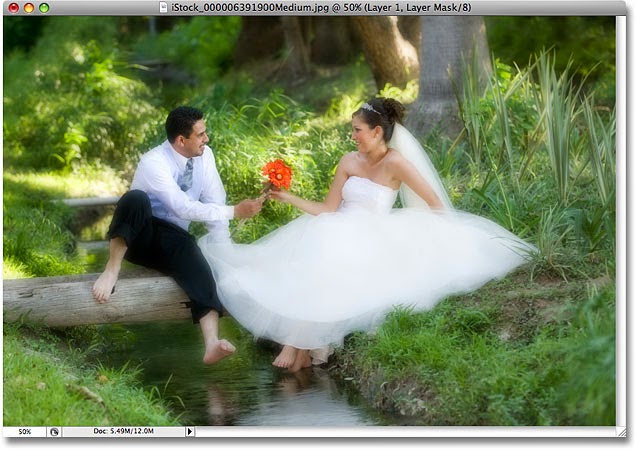
Applying Soft Focus Lens Effect to your wedding Pictures
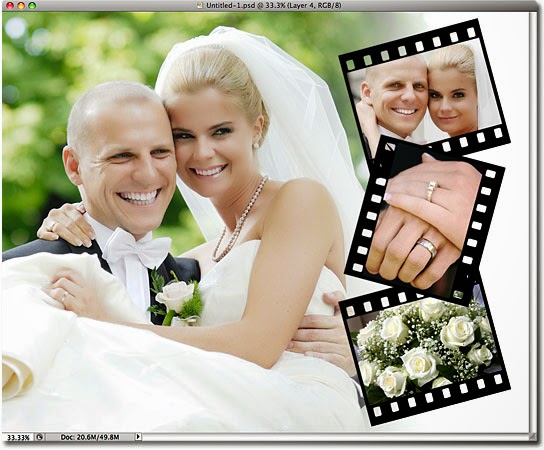
Film Strip Photo Collage in Photoshop
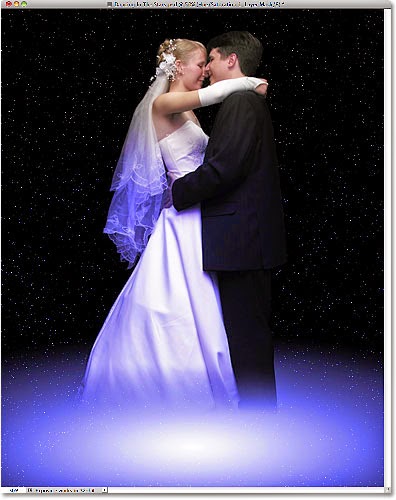
Dancing In The Stars Effect With Photoshop
High Key Glow Effect With Photoshop

Color Blend Mode In Photoshop

Using A Photo As Its Own Background With Photoshop

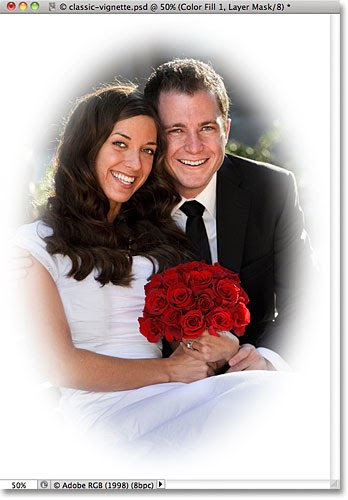
Classic Vignette Photo Effect With Photoshop
Create Photoshop Templates For Photo Effects

Go to link Download
Sunday, April 16, 2017
Collection of tutorials on how to create dreamy effect photoshop tutorials
Collection of tutorials on how to create dreamy effect photoshop tutorials
Dreamy Effect to a Photo

Dreamy Duotone effect

Dreamy effect

Dreamy effect

Dreamy effect

Dreamy effect

Go to link Download
Monday, April 3, 2017
collection of double exposure effects tutorial
collection of double exposure effects tutorial

Double Exposure Style in Photoshop

How to Create a "Double Exposure" in Photoshop

Double Exposure

Create a creative double exposure effect

Create a double exposure in Photoshop

Double exposure
Go to link Download
Sunday, March 19, 2017
COLLECTION FREEWARE TO CREATE BOOTABLE USB DRIVE TO INSTALL WINDOWS AND LINUX 2012
COLLECTION FREEWARE TO CREATE BOOTABLE USB DRIVE TO INSTALL WINDOWS AND LINUX 2012


· A USB Drive (4 GB or more)
· Windows Vista, Server 2008 or 7 ISO image or DVD


If you choose to download an ISO file (so that you can create a bootable file from a DVD or USB flash drive), copy your Windows 7 ISO file onto your media and, run the Windows 7 USB/DVD Download Tool. After you do this, you can install Windows 7 onto your computer directly from the USB flash drive or DVD.
NOTE: When you download the ISO file, you must copy the file onto a USB flash drive or a DVD to install Windows 7. When youre ready to install Windows 7, insert the USB flash drive into your USB port or insert your DVD into your DVD drive, and then run Setup.exe from the root folder on the drive.
6. WinToFlash 0.7.0048 Beta

And this is not all it can do. WinToFlash can transfer your live CD/DVD to flash card, for example, BartPE. After all you can erase your Flash card and format it with you Windows for every day use.
· Bug with check disk unexpected error fixed
· Updated all language DLLs with new code
· WinToFlash Suggestor updated to latest version

Simply Drag and drop ISO files in to XBoot and click Create ISO or Create USB button.
Support for some ISO files have been added , support for some other ISO files will be added later on the request of users.
Semoga Bermanfaat, ^_^
Link Download
Collection Freeware to Create Bootable USB Drive to Install Windows and Linux (16,34 Mb)
Password : www.gigapurbalingga.com
Sumber : www.gigapurbalingga.com
Go to link Download