Showing posts with label id. Show all posts
Showing posts with label id. Show all posts
Tuesday, May 2, 2017
Cara Reset Ink Level Epson L100 L200 L800 tanpa SN ID Tinta
Cara Reset Ink Level Epson L100 L200 L800 tanpa SN ID Tinta
Anda Pengguna Epson L100, L200, atau L800 ? Trik Kang Eko kali ini patut anda coba. Pengalaman kali ini adalah tentang Cara Reset Ink Level Epson L100, L200, L800 tanpa SN ID Tinta. Mari langsung ke TKP.
Printer Epson Seri L100, L200, L800 adalah printer infus resmi dari vendor Epson. Jika Ink Level Epson L100, L200 atau L800 menunjukkan posisi kosong / empty, maka biasanya Anda harus memasukkan SN ID Tinta Epson yang tertera di botol Tinta Epson.
RESETTER L110 L210 L300 L350 L355 sdh READY
UPDATE : CARA RESET EPSON L800 KLIK DI SINI
Trik Kali ini adalah tentang Cara Reset Ink Level Epson L100, L200, L800 tanpa SN ID Tinta. Jadi anda tidak perlu lagi memasukkan SN ID Tinta Epson ketika Ink Level L100, L200, L800 menunjukkan posisi kosong / empty.

Cara Reset Ink Level Epson L100, L200, L800 tanpa SN ID Tinta :
- Download Program Reset Ink Level Epson L100, L200, L800 ===> DI SINI
- Extract File Reset Ink Level Epson L100, L200, L800 dengan menggunakan 7 ZIP. Jika belum punya silahkan Download ===> DI SINI.
- Program reset Ink Level ini namanya WIC Reset Utility. Instal program tersebut di komputer anda. Caranya : double klik WIC(x32).exe => Next 4x => Install => Finish.
- Setelah itu Jalankan WIC Reset Utility yang telah anda install. Jangan lupa Printer anda harus dalam keadaan ON dan terkoneksi dengan komputer.
- Perlu di ingat : Program WIC Reset Utility hanya bisa mereset Ink Level Epson L100, L200, L800 yang sudah kosong yang ditandai dengan tanda "SERU".
- Setelah WIC Reset Utility di buka, pilih jenis printer epson anda. Kemudian Klik Reset Inks ==> Continue : klik YES ==> Klik Done.


- Setelah itu, Matikan Epson L100, L200, L800 anda. Dan kemudian hidupkan kembali, maka Ink Level Epson anda akan ter reset dan kembali FULL tanpa harus memasukkan kode SN ID Tinta Epson Original.

Artikel ini boleh disebarluaskan, tapi tolong sertakan sumbernya
sumber : http://ekohasan.blogspot.com/2011/11/cara-reset-ink-level-epson-l100-l200.html
Go to link Download

Friday, April 28, 2017
CARA RESET PRINTER EPSON L100 L200 L800 TANPA SN ID TINTA
CARA RESET PRINTER EPSON L100 L200 L800 TANPA SN ID TINTA

Printer Epson Seri L100, L200, L800 adalah printer infus resmi dari vendor Epson. Jika Ink Level Epson L100, L200 atau L800 menunjukkan posisi kosong / empty, maka biasanya Anda harus memasukkan SN ID Tinta Epson yang tertera di botol Tinta Epson.
Trik Kali ini adalah tentang Cara Reset Ink Level Epson L100, L200, L800 tanpa SN ID Tinta. Jadi anda tidak perlu lagi memasukkan SN ID Tinta Epson ketika Ink Level L100, L200, L800 menunjukkan posisi kosong / empty.

Cara Reset Ink Level Epson L100, L200, L800 tanpa SN ID Tinta :
- Download Program Reset Ink Level Epson L100, L200, L800 ===>DI SINI
- Extract File Reset Ink Level Epson L100, L200, L800 dengan menggunakan 7 ZIP. Jika belum punya silahkan Download ===> DI SINI.
- Program reset Ink Level ini namanya WIC Reset Utility. Instal program tersebut di komputer anda. Caranya : double klik WIC(x32).exe => Next 4x => Install => Finish.
- Setelah itu Jalankan WIC Reset Utility yang telah anda install. Jangan lupa Printer anda harus dalam keadaan ON dan terkoneksi dengan komputer.
- Perlu di ingat : Program WIC Reset Utility hanya bisa mereset Ink Level Epson L100, L200, L800 yang sudah kosong yang ditandai dengan tanda “SERU”.
- Setelah WIC Reset Utility di buka, pilih jenis printer epson anda. Kemudian Klik Reset Inks ==> Continue : klik YES ==> Klik Done.


- Setelah itu, Matikan Epson L100, L200, L800 anda. Dan kemudian hidupkan kembali, maka Ink Level Epson anda akan ter reset dan kembali FULL tanpa harus memasukkan kode SN ID Tinta Epson Original.
- Selamat mencoba semoga berhasil....
Go to link Download
Friday, January 20, 2017
Color ID Lite
Color ID Lite
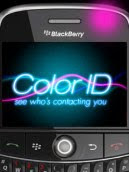 LED customizer that lets you know instantly who or where an email, sms or incoming call is from just from the colors of the flashing light on your BlackBerry®! * NOTE: Color ID Lite is limited to 2 custom contacts. To add more contacts, purchase the full version by clicking UPGRADE within the app.
 - Assign custom LED colors to specific contacts for incoming text messages, email and phone calls!
- Assign any one or two colors to the BlackBerry LED indicator
- Select from 10 colors and combinations of them: Disco, Orange, Pink, Yellow, Green, Cyan, Blue, Purple, Red, White or none
- Multiple phone numbers and email address ability for one color combination
- Syncs with BlackBerry address book for easy additions!
- Auto complete contacts from your Address Book
- Easy-to-use interface with preview functionality
- Share with a friend feature
- Setup wizard for first-time users
- NEW auto complete feature from address book when adding contacts
- NEW Color ID is more efficient and uses even less memory (app size reduced to 250KB)
- Disco light added as a color selection - Color ID now has 10 different LED colors!
- SMS LED notification now turns off automatically when SMS messages are viewed
- Dedicated email address for support requests
- Dutch language support
Blackberry: 7130, 8100, 8110, 8120, 8130, 8220, 8230.
Go to link Download
Sunday, December 11, 2016
Cara Mengetahui Device Id Android
Cara Mengetahui Device Id Android
Berikut ini adalah cara untuk mengetahui device id Android. Caranya cukup mudah, tinggal call/telpon saja nomor berikut ini *#*#8255#*#*
Dari sini akan muncul "Gtalk service monitor" yang berisi banyak sekali informasi dari device anda termasuk juga device id dan info-info lainnya.
Go to link Download
Subscribe to:
Posts (Atom)